GameSettings for Game Designers
🎲 Audience: Game Designers
Last updated: March 2026
Technical Reference: GameSettings (Technical Reference)
Related Systems: Boards
TODO (from Notion): link pending.
💡 This section has two groups: Debug toggles that help you visualize the board grid while setting up your game (no effect on the final game), and Factory settings that hold the two shared base tables every game inherits.
What Are These Settings?
The Board Game Mechanics plugin adds a section to Project Settings with two groups:
- Debug — toggles for visualizing the board grid while setting up your game. Useful when placing board cells, checking connections between cells, or debugging displacement boundaries. No effect on the final game.
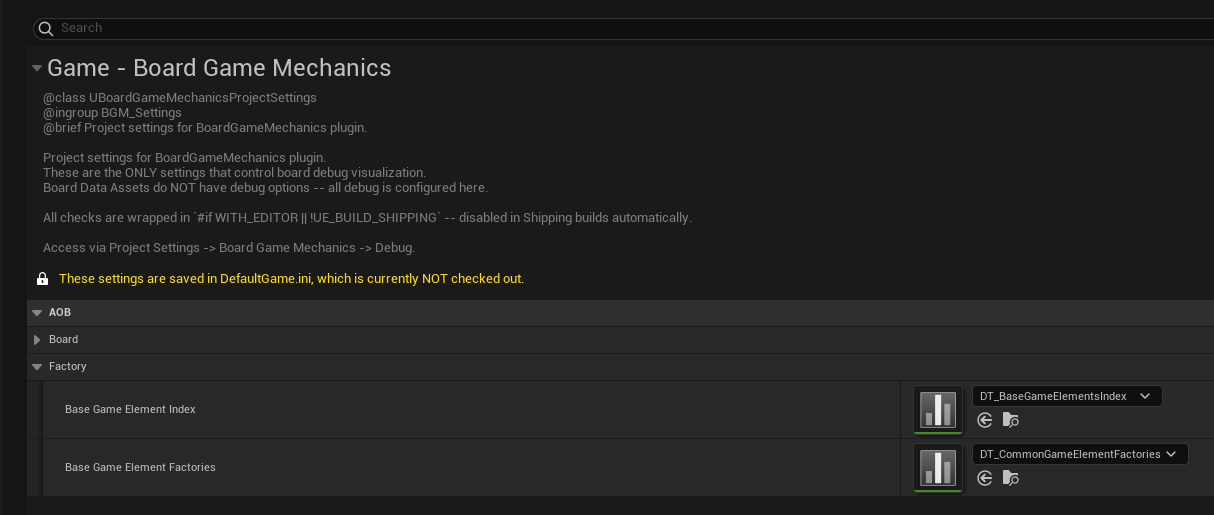
- Factory — the two shared base tables that every game inherits: the base element index and the base factory mappings.
How to Access
Edit → Project Settings → Board Game Mechanics → Debug
TODO (from Notion): screenshot pending import from Notion — Screenshot of Project Settings showing the Board Game Mechanics section with the three debug toggles.
Available Settings
| Setting | What it shows | When to use it |
|---|---|---|
| Enable Board Edge Debug Visualization | Colored lines between connected board cells. Different colors indicate different edge types. | When checking if cells are connected correctly |
| Enable Board Node Debug Visualization | Green spheres at every board cell's position in the world | When verifying cell placement and positions |
| Enable Displacer Bounds Debug Visualization | The boundaries that limit board displacement movement | When setting up or debugging board displacement |
All debug settings default to off and are automatically disabled in the final packaged game.
💡 Tip: Turn these on one at a time to avoid visual clutter. Start with Node Debug to see your cells, then Edge Debug to verify connections.
Shared Base Tables (Factory)
| Setting | Default asset | What it does |
|---|---|---|
| Base Game Element Index | DT_CommonGameElementsIndexGeneral | Elements listed here are spawnable in every game without adding them to each game's own index. A game's own index row wins on a name clash. |
| Base Game Element Factories | DT_CommonGameElementFactories | Standard element-type-to-factory mappings (None, Board, Card, Piece, UI) inherited by every game. Because of this table, most games do not need a GameElementFactories DataTable at all — create one only to add a game-specific factory (see 008HAM's Milestone_Award) or override a standard mapping. |
⚠️ These tables affect all games. Adding or changing a row here changes the defaults everywhere; per-game tables are the place for game-specific behavior. See Factory for the full picture.