Mod Packaging & Upload Guide
Covers how to package a mod from the ModKit and how to publish it to mod.io, either through the web portal or directly from the AOB! ModKit.
Packaging a Mod
1. Open the ModKit
Launch the AllOnBoard ModKit project in Unreal Editor.
2. Open the mod.io menu
In the top toolbar, click the button with the mod.io icon, located next to the Platforms button.
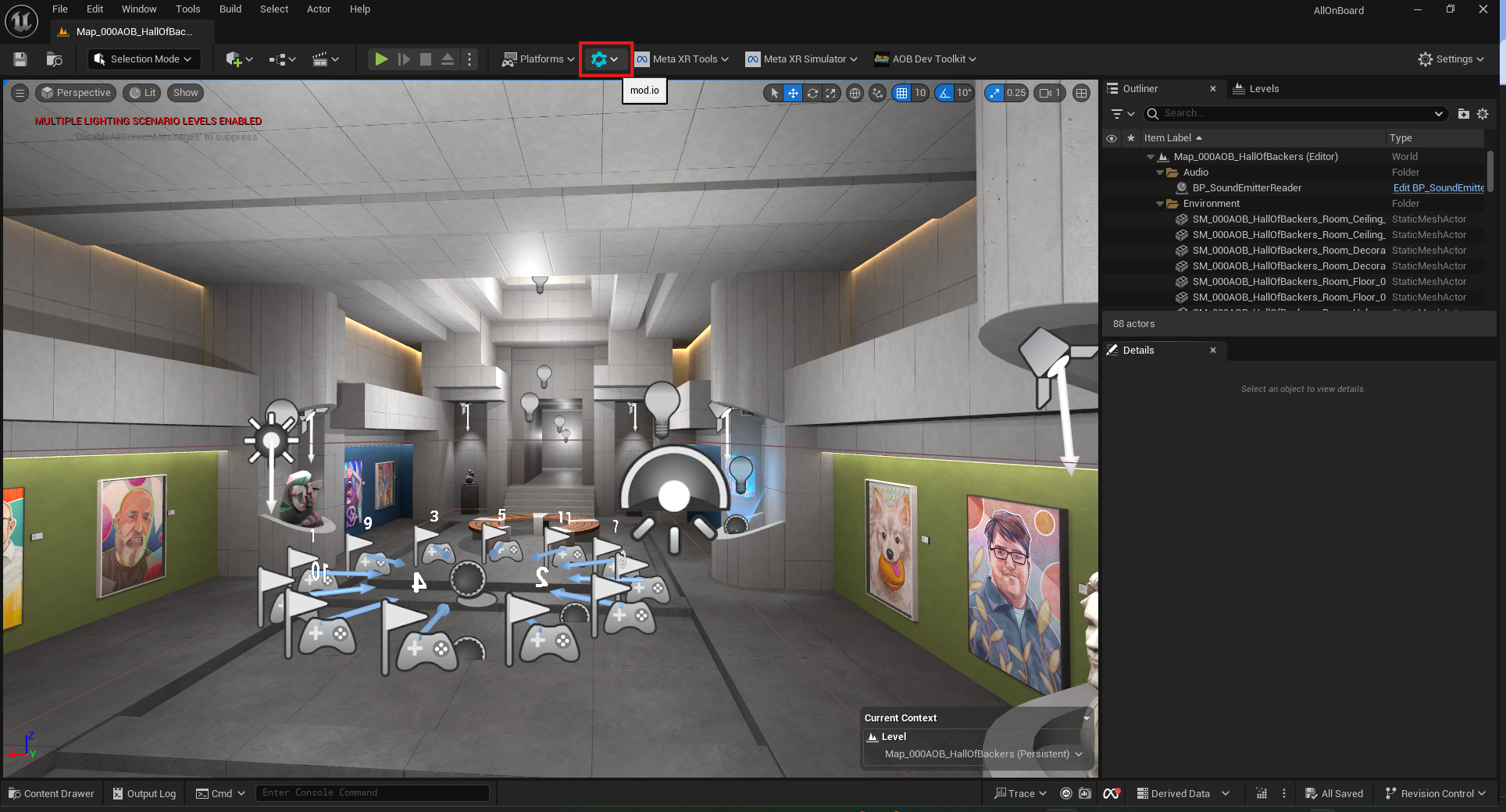
3. Select "Create & Upload"
In the dropdown that appears, click Create & Upload.
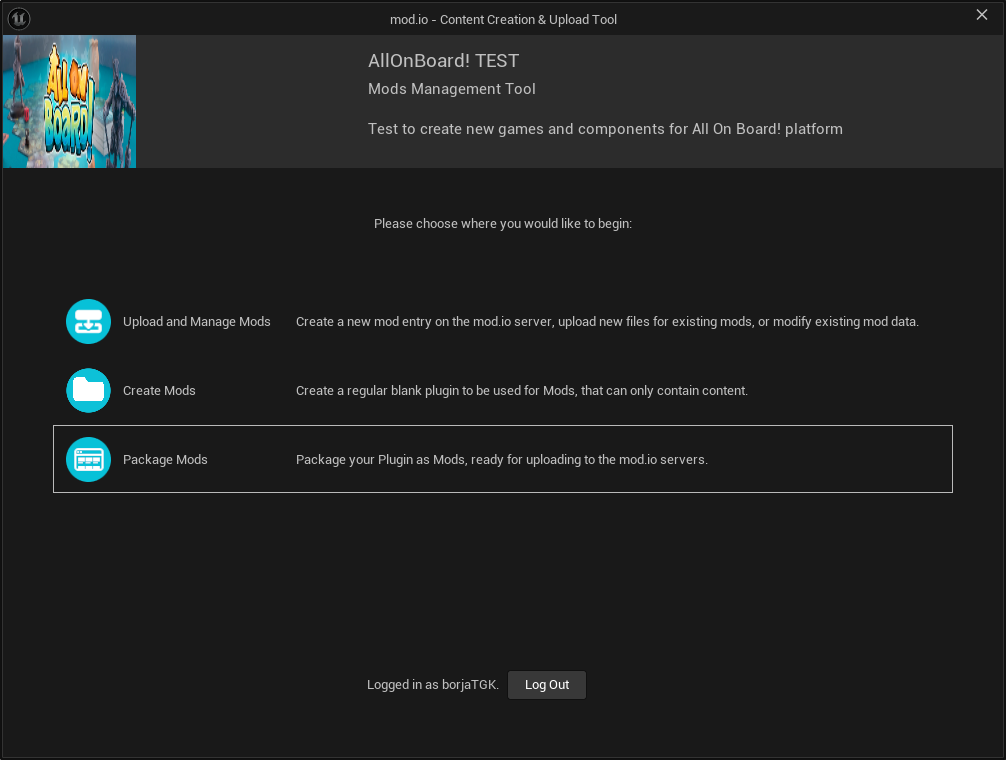
4. Go to "Package Mods"
Click the Package Mods tab.
5. Configure the package options
Three fields must be filled in before packaging:
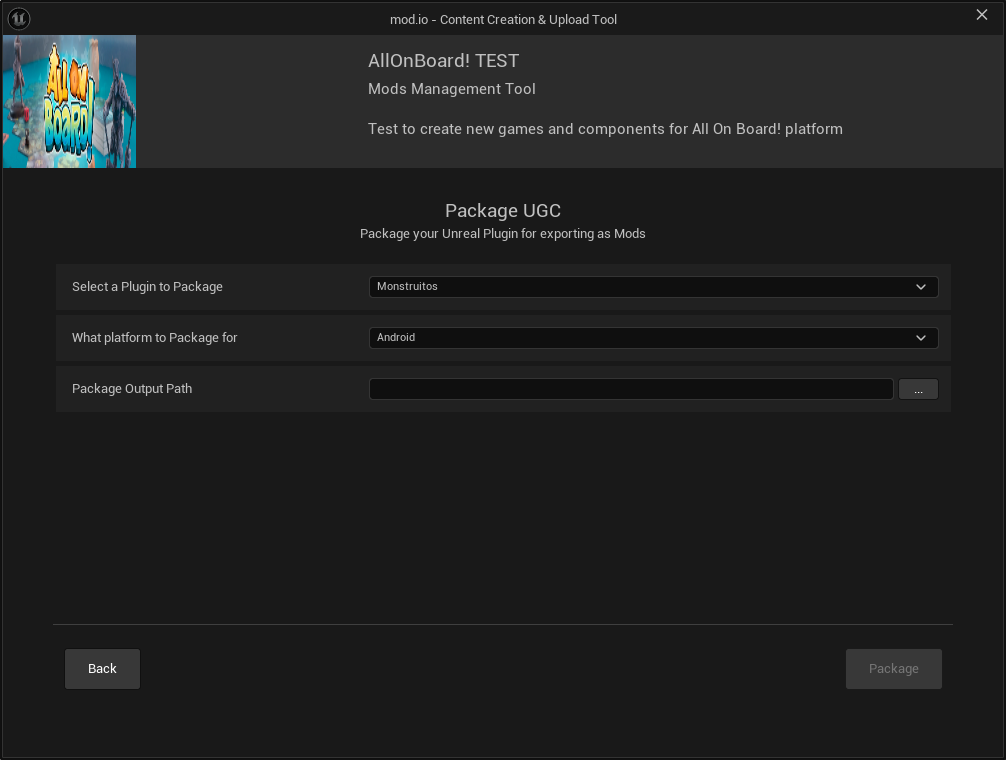
| Field | Description |
|---|---|
| Select a Plugin to Package | Choose the mod plugin you want to package |
| What platform to Package for | Windows or Android (Quest) |
| Package Output Path | Local folder where the packaged mod will be saved |
6. Click "Package"
Click the Package button to start the build.
7. Output folder opens automatically
When packaging finishes successfully, the output folder opens in File Explorer. The packaged mod is ready to upload or install locally.
Uploading a Mod to mod.io
There are two ways to upload a mod: through the mod.io web portal or directly from the ModKit.
Option 1 — Web Portal
1. Prepare the zip file
Compress the packaged mod into a .zip file. The zip must contain:
MyModName.uplugin
Content/
2. Log in to mod.io
Go to mod.io and log in with your account.
3. Open the AllOnBoard game page
Navigate to the AllOnBoard game page on mod.io.
4. Add a new mod
Click Add mod in the top-right corner of the game page.
5. Fill in the mod profile
Complete the required fields: name, summary, description, and any tags.
6. Create the mod
Click Create Mod at the bottom of the form.
7. Add gallery images (optional)
Upload screenshots or artwork for the mod gallery, then click Save & next.
8. Upload the zip file
Click Select zip file and choose the .zip prepared in step 1, or drag and drop it onto the button.
9. Select the target platform
Choose Windows or Android depending on what the mod was packaged for.
10. Fill in the release info
| Field | Required | Description |
|---|---|---|
| Version | No | Version string, e.g. 1.0.0 |
| Changelog | No | What changed in this release |
| Metadata blob | No | Optional JSON metadata |
11. Accept Terms & Privacy Policy
Tick the checkbox to accept mod.io's Terms and Privacy Policy.
12. Click "Upload"
Click Upload to start the file upload.
13. Continue after upload
Once the upload completes, click Save & next.
14. Set Reuse Permissions
Select the reuse permissions you want to grant other creators.
15. Click "Save & next"
The mod is now live on mod.io.
Option 2 — From the ModKit
1. Open the ModKit
Launch the AllOnBoard ModKit project in Unreal Editor.
2. Open the mod.io menu
Click the mod.io icon button in the top toolbar (next to Platforms).
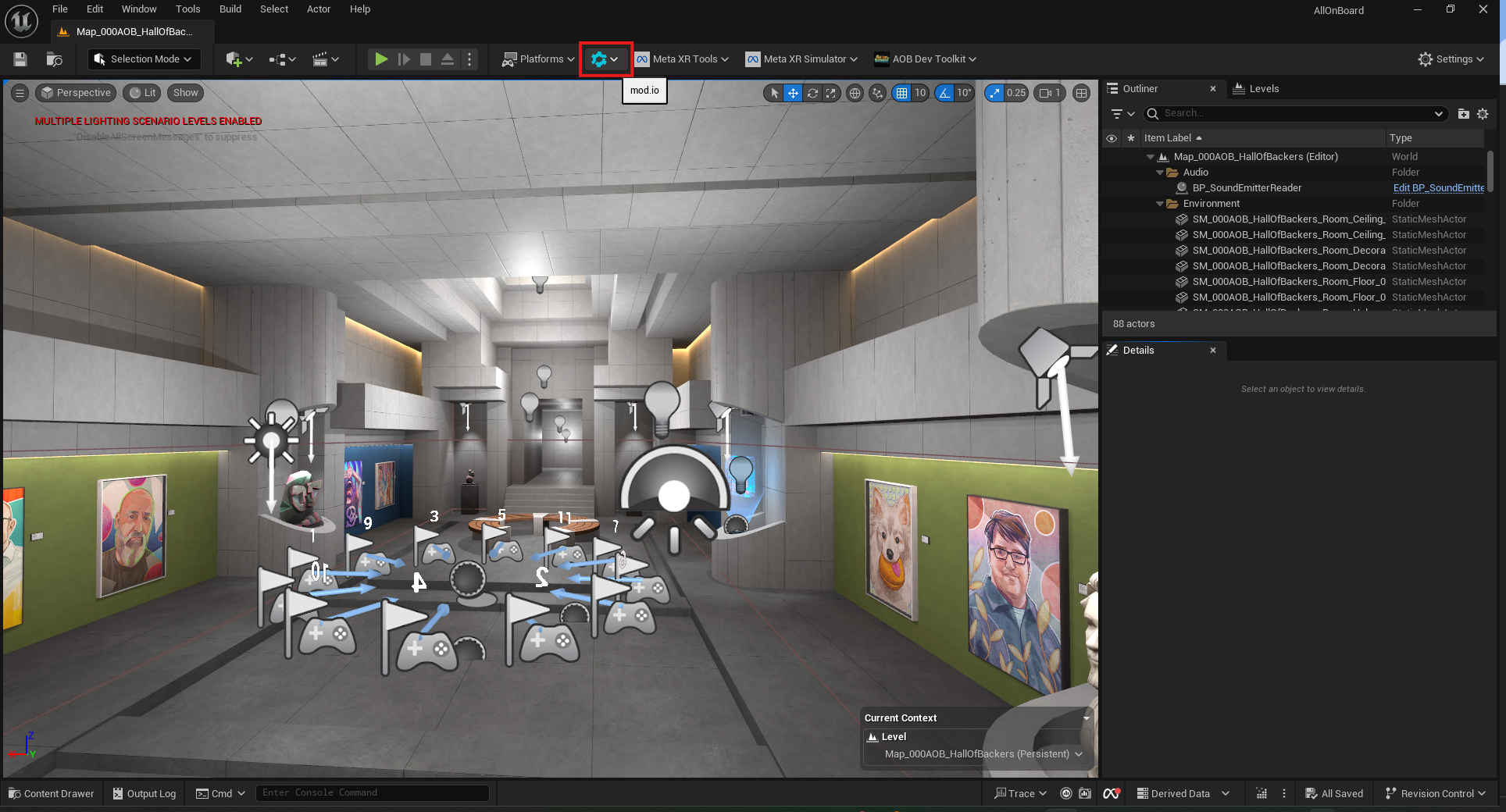
3. Select "Create & Upload"
In the dropdown, click Create & Upload.
4. Log in to mod.io
If you are not already logged in, complete the authentication flow using your mod.io email.
5. Go to "Upload and Manage Mods"
Click the Upload and Manage Mods tab.
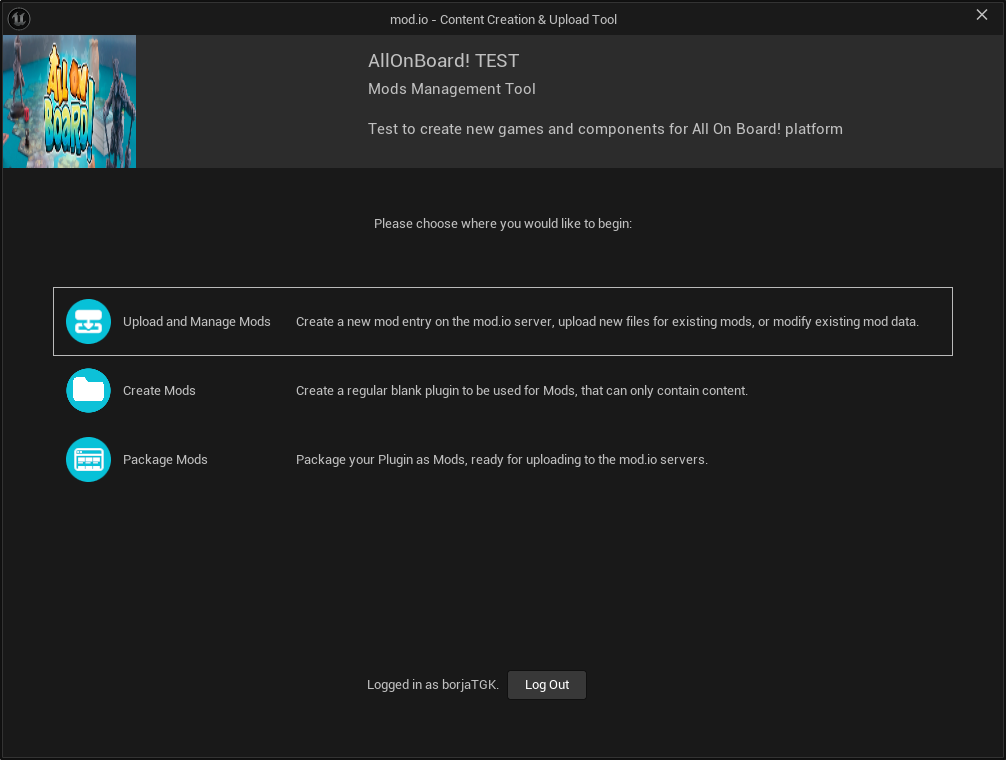
6. Create a new listing (if the mod does not exist yet)
Click Add New Mod Listing and fill in the following fields:
| Field | Required | Description |
|---|---|---|
| Mod Name | Yes | Display name on mod.io |
| Mod Thumbnail Image | Yes | Cover image for the mod page |
| Summary | Yes | Short description |
| Additional fields | No | Description, tags, etc. |
Click Create Mod Profile to create the listing.
7. Edit the listing
Select the mod from the list and click Edit Selected Listing.
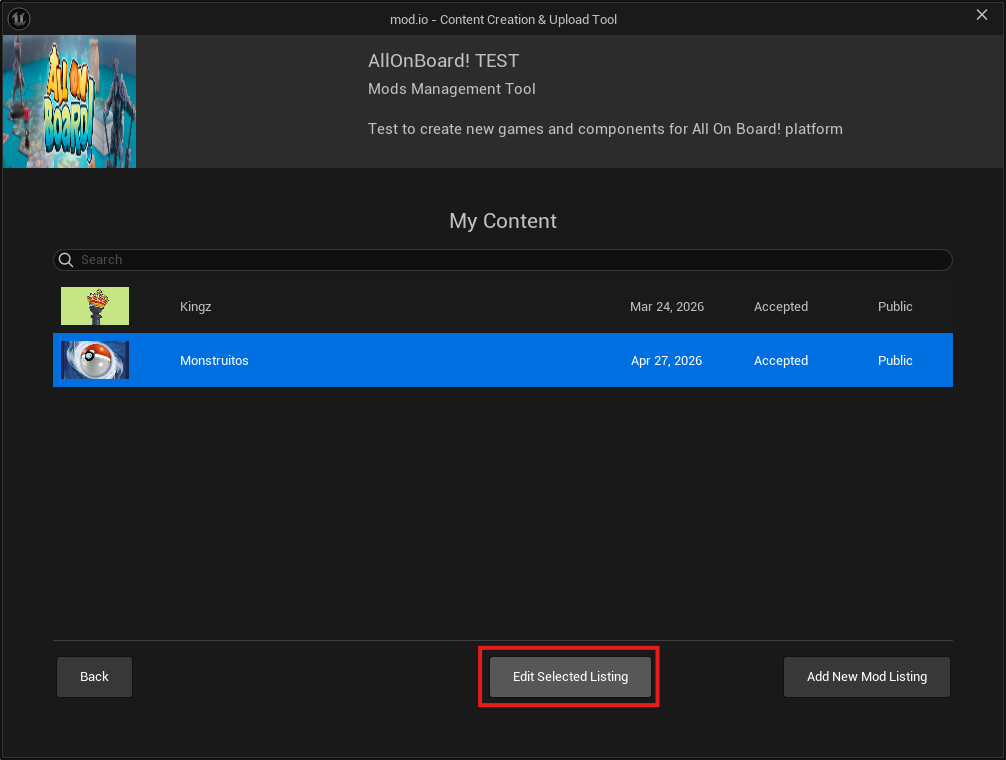
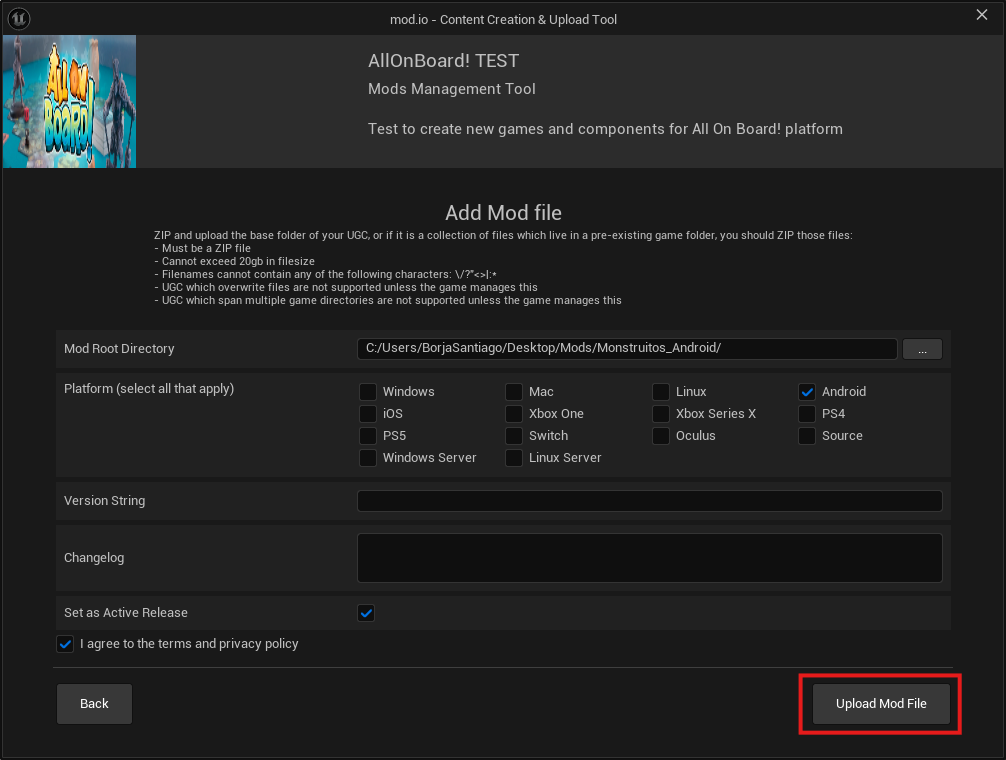
8. Add a mod file
Click Add Mod File.
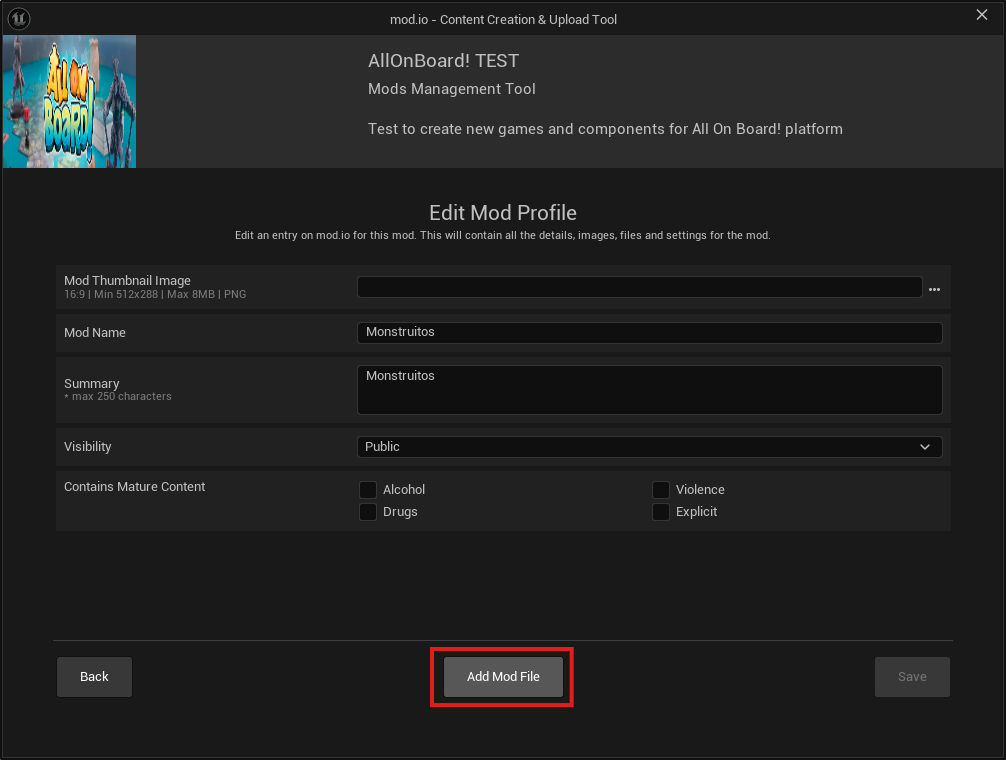
9. Set the mod root directory
In Mod Root Directory, select the folder where the packaged mod is located (the output folder from the packaging step).
10. Select the target platform
Choose Windows or Android.
11. Accept Terms & Privacy Policy
Tick the checkbox to accept mod.io's Terms and Privacy Policy.
12. Click "Upload Mod File"
Click Upload Mod File. The mod file will be uploaded to mod.io directly from the ModKit.